 Download
SigNoter
1.2.1 January 22, 2026- 8.5
- 1
- 2
- 3
- 4
- 5


Enjoy your own WiFi smarter and faster with the “URoad Magic”.
Now you can use your mobile router more smartly and conveniently by URoad Magic !
On the URoad Magic, you can check status of this product and change the setting.
Also, it is available to control URoad Magic turning to Power Off, Reboot, and Sleep mode(hibernation).
【Requires Android]
Android OS v2.3~v4.2
【Compatible Mobile Device】
Galaxy S, Galaxy S2, Galaxy S2 LTE, Galaxy S3 LTE, Galaxy Note, Galaxy Note 2, Galaxy Note 10.1, HTC Vega, Optimus PAD, Galaxy Tab, Galaxy Nexus
For more information or support, please visit http://web.modacom.co.kr/en/.
▼How to use URoad Magic
1. Run the mobile application 'URoad Magic'.
2. Enter the ID and Password in Setting Account.
The default setting of ID/PW is admin/admin.
※ You may change password(Default: admin) on "More information?" of "Information Screen" on URoad Magic application.
More information' accesses to " Web User Interface(http://192.168.100.254)", then you can change it on "System Management > System Setup" page.
It is recommended to change the password for security before using the product.
※ For the security, URoad Magic has "ID/PW save" function.
When entering ID and PW on 'Setting Account", please check the ON/OFF of "ID/PW save" setting.
If "ID/PW Save" is ON, ID/PW needs to be entered once at the first time, or if it is OFF, you may need to enter ID/PW every time you access the URoad Magic.
※ When using this application, please make sure URoad-SS10 is connected to the internet.
▼ Screen Configuration
This application is composed of three screens.
1. Main Screen
2. Setting Screen
3. Information Screen
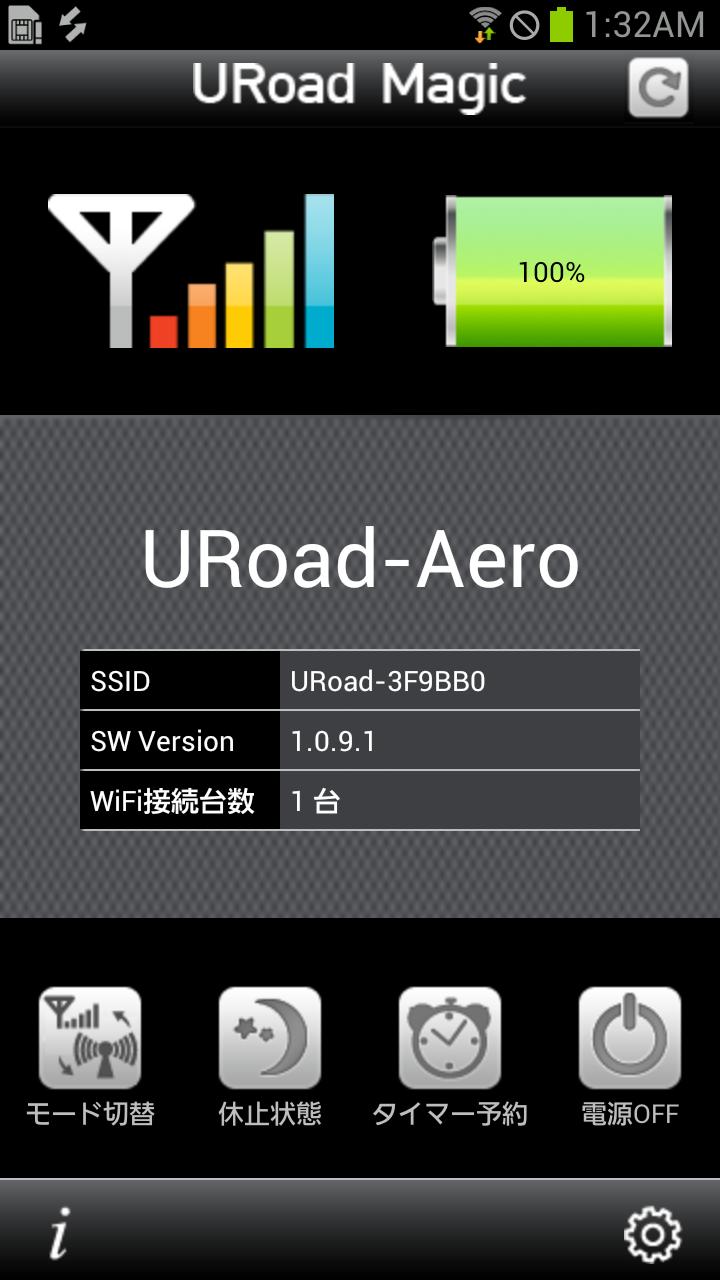
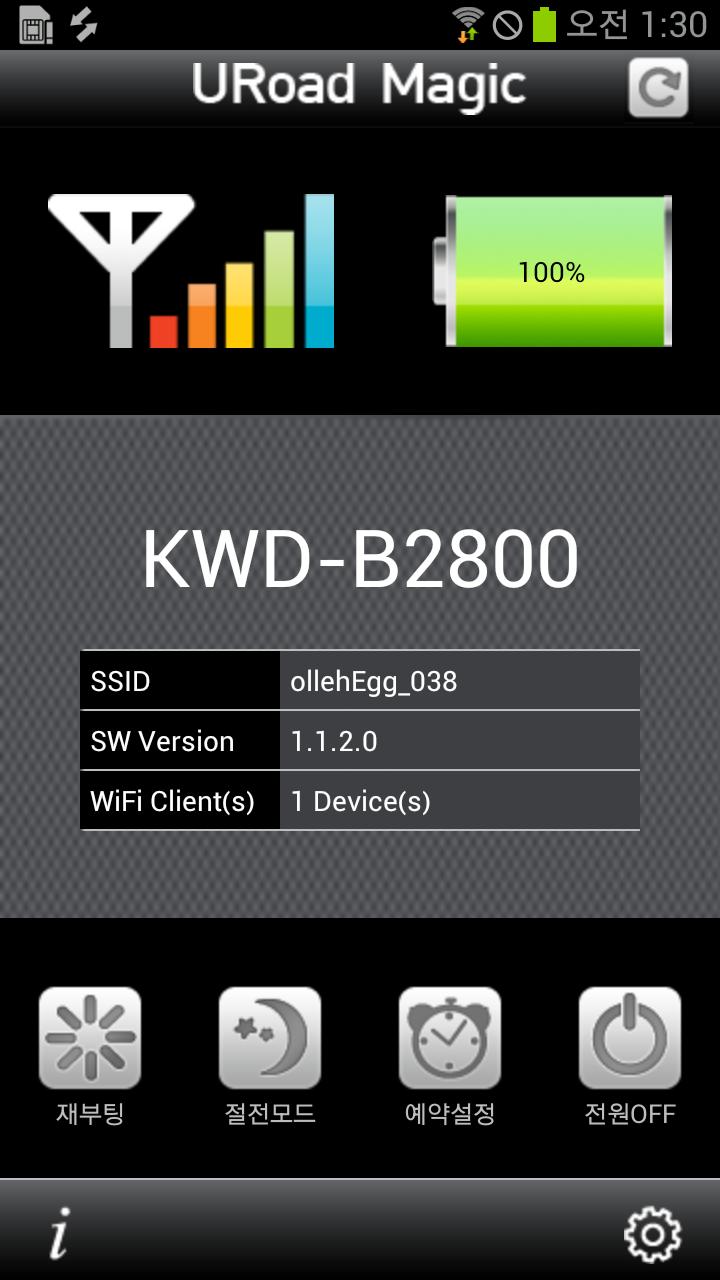
▼ Main Screen
1. Indications
・ WiMAX Signal Strength (6 steps)
・ Remained Battery Charge (%)
・ SSID
・ Software Version of URoad-SS10
2. Executable Operations
・ Power Reboot
・ Transition to Max Power Saving State (Sleep mode)
・ Power Off
・ Indicating Information Update (Refresh)
▼ Setting Screen
・ Setting Account
The default setting of ID/PW is admin/admin.
※ When entering ID and PW on 'Setting Account", please check the ON/OFF of "ID/PW save" setting for the security.
・ Setting SSID1, Setting SSID2
You can change SSID1 and SSID2 on 'Setting SSID1, Setting SSID2' of Setting Screen.
Also it is available to change on "Web User Interface" page.
・ Firmware Update
You can check the URoad-SS10 has new version of software updating.
If it shows a red letter 'N' on "Setting Icon", it means URoad-SS10 needs to be updated to new version.
※ Firmware Update is available when the battery charge is over 20%. Under 10% of battery charge, it is unable to be updated.
・ Refresh Interval
It is a function to set the Information Update (Refresh) interval of WiMAX Signal Strength and Remained Battery Charge.
You can check the status of URoad-SS10 on every setting interval.
・ Notification Icon
If Notification Icon is set, you can check the status of URoad-SS10(WiMAX Signal Strength and Remained Battery Charge)more easily on Notification bar and Status bar.
▼ Information Screen
・ Application Version
It indicates the version of URoad Magic.
・ SW Version
It indicates the version of URoad-SS10.
・ More Information
It accesses to 'Web User Interface'.
You can check the status of this product in detail and also change the setting on 'Web User Interface'.
▼ Features
【Reboot】
URoad-SS10 is rebooted.
【Sleep Mode】
URoad-SS10 turns to the Hibernation status.
When URoad-SS10 is on Sleep mode, its continuous waiting time is about 250 hours. (fully charged battery)
(Caution! : When releasing the hibernation status, please press the Hibernation button on URoad-SS10 product.)
【Power Off】
URoad-SS10 turns off.
(Caution! : For Power ON of URoad-SS10, you need to press Power button on URoad-SS10 product.)
★ Notice ★
URoad-SS10 is a WiMAX mobile router and supplies an exclusive application of URoad-SS10.








 Action Adventure
 Simulated Business
 Role Playing
 Sports Competition
 Casual Puzzle
 Card Strategy
 Music Rhythm
 Word Puzzle
 Flight Shooting
 Love Development
 Business Office
 Communication and Social
 Lifestyle and Entertainment
 Online Shopping
 Utility Tools
 Travel Travel
 Finance
 Education Learning
 Information Reading
 Sports and Health