 Download
SigNoter
1.2.1 January 22, 2026- 8.5
- 1
- 2
- 3
- 4
- 5


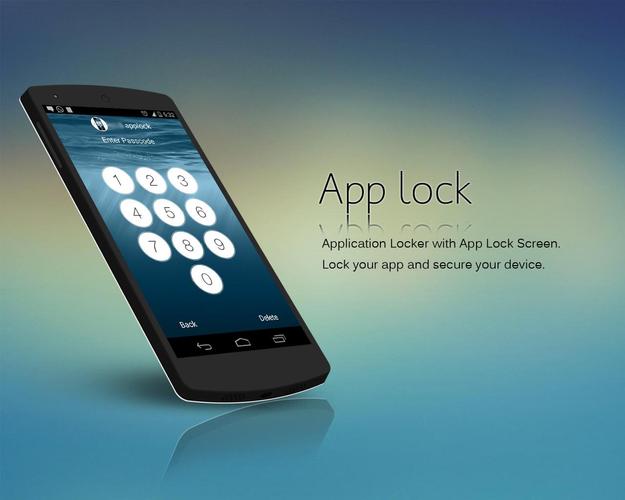
App Lock Pro with Assistive Touch is App for protect apps. Like OS 9
Best Application Locker For Privacy Security: AppLock Pro - Assistive Touch.
◉ Perfect App in tools for Privacy Protection.
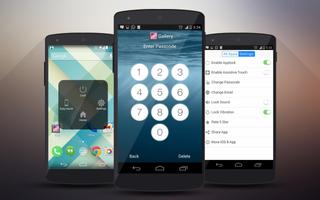
◉ Easy to use Password Pad for unlock application.
◉ It has Assistive Touch Like OS 9.
◉ Password protection for your all apps.
◉ Set and change Password is very easy.
◉ Changeable background for your AppLock Screen
◉ Sound and Vibration on the Lock and Unlock.
Features of App Lock Pro
✓ Protect any app using Password protection.
✓ Customize background so you can set your favorite photos.
✓ Easy to change lock Password from settings.
✓ AppLock Pro is protected from uninstall by others.
✓ This is the best part of the app that it has builtin Assistive Touch Like OS 9.
✓ AppLocker takes very less battery power during process.
✓ On one touch you can lock Recommended app.
✓ Turn off and on security lock.
✓ Lock and Unlock sounds and you can also switch it from settings.
✓ Vibration on Lock and Unlock apps and also you can enable or disable it from the App Lock Pro settings.
Assistive Quick Touch settings include
◎ Lock Screen - Lock your screen immediately and very easily in Assistive Touch.
◎ settings - It will take you to the mobile settings.
◎ Go to Home - Redirect you to the direct home screen no matter where you are in mobile app by Assistive Touch.
◎ Brightness - it has 3 stage of brightness level low, medium and High, so you can set which you want to set.
◎ Auto Rotate - enable or disable rotation of your screen.
◎ Flash Light - its very quick solution to on torch in your mobile by Assistive Touch.
◎ Sound Profile - it can change your profile to vibrate, silent or speaker mode.
◎ GPS - Location service.
◎ Wifi
◎ Mobile Data
◎ Bluetooth
FAQ
◎ How to set and change Password ?
When first time you open AppLock then Application will ask you to set Password and confirm it again.
To change Password, its very easy you can open our Application - Enter your old password - go to settings - change password.
◎ What if i forgot Passcode ?
Don't worry about that you can click on forgot password in App Lock Pro - Privacy applocker and fill answer of your security questions, you will get passcode in mail if all the answers are correct from AppLock Pro.
◎ How Could I Protect my apps, Gallery, Setting etc. ?
You Just have to open App Lock Pro, Enter Password which is required and then you will get list of the applications which is already in your device, Now you just have to touch on the on/off button to enable and disable privacy protection.
◎ How i can uninstall AppLock Pro ?
For Uninstall this app you have to just go to the settings > App Manager > App Lock Pro and simply Uninstall it. but before you do that please note that your apps will be no longer protected, AppLock Pro gives you best option to protect it.
◎ How can i Protect from others to Uninstall AppLock Pro ?
You can go to the Administrative Setting in settings and give admin rights enable to the AppLock Pro - Applocker, and then after no one can uninstall it without your settled passcode.
◎ How To Use and Enable Disable Assistive Touch ?
You can touch on the Assistive Toucher and you will get lots of option like go to home, Lock your screen, Brightness adjustment, Atuto Rotate , Flash Light on/off, Sound Profile mode, WiFi, GPS, Data Plan on/off and much more. you can do all this things by one Assistive Touch and also you can enable or disable it from the App Lock Pro settings.
Known Issues
¡ Not Supporting very few devices, and We are working on it and it will be solved in few days.
¡ Assistive touch dragging position saving is not enable yet. it will be updated soon in Assistive Touch.
If you are facing any problem in this app, Please Feel Free to contact us. If Want to give any suggestions or need any help Please contact on [email protected] .we will get back to you soon.



 Action Adventure
 Simulated Business
 Role Playing
 Sports Competition
 Casual Puzzle
 Card Strategy
 Music Rhythm
 Word Puzzle
 Flight Shooting
 Love Development
 Business Office
 Communication and Social
 Lifestyle and Entertainment
 Online Shopping
 Utility Tools
 Travel Travel
 Finance
 Education Learning
 Information Reading
 Sports and Health